Make Creative Posters: Turn Your Ideas into Visual Designs with AI
By Impact Desk | Updated: April 28, 2026 17:49 IST2026-04-28T17:48:52+5:302026-04-28T17:49:49+5:30


Posters are the quickest method of visually presenting an idea, for events, marketing, education, or social media. Traditionally, they ...
Make Creative Posters: Turn Your Ideas into Visual Designs with AI
Posters are the quickest method of visually presenting an idea, for events, marketing, education, or social media. Traditionally, they took time, effort, graphic design, and computer skills. Today it's easier than ever. GPT image 2 allows you to turn an idea into a poster in just a few minutes with a text prompt.
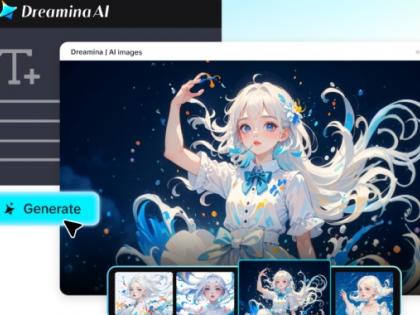
And with Dreamina, it is even more enjoyable and creative. You don't have to worry about complicated tools while keeping your attention on the concept, and Dreamina creates a poster for you. Let's look at how you can design posters from basic ideas, using AI step-by-step.
Have a strong idea to begin with
Good posters have a clear message. Think about what your message is first, and then worry about type and colour. This will help you in the design process.
Ask yourself:
- What's the poster about?
- Who will see it?
- What kind of mood should it evoke?
So, rather than "a poster for the gym," think "an energetic poster made for a gym with dynamic type, lighting, and aesthetic designed for motivation." This will inform your visual design. A great poster starts with a great idea.
Turn concepts into structured prompts
When you have an idea, you need to turn it into a prompt. This is the point where a creative idea is turned into instructions for AI.
A good prompt includes:
- Subject or theme
- Visual or stylistic direction
- Key design details
For example: "a contemporary poster for an event with neon lights, a dynamic, varied crowd, bold typography, space, and futuristic art".
This helps the AI comprehend your intentions and subsequently generate better content. Crafting better prompts can help you design better-looking posters.
Explore multiple design directions
One of the best things about using AI to design posters is that you can explore multiple options. You don't have to stick to one poster. It allows for experimentation and exploration.
You can try:
- Simple, clutter-free posters
- Promotional designs with warm colors
- Creative or film poster styles
For example, with the idea you type in as "music event poster", you can type in "futuristic" or "retro" or the "best quality", and the poster can be futuristic, retro, or luxury. So you never have to start completely blank.
Dreamina's 3-step to poster creation
Step 1: Use the "AI Image" feature on Dreamina
First, open Dreamina and click on the "AI Image" option on the homepage. Then, click "Upload" and choose an image file that you would like to use as a reference for the AI.
Step 2: Generate the AI image
Then, select the AI generator (GPT Image 2), image resolution, and image size. Then, describe in detail the image you want to create in the dialogue box. Click the "Enter" button to generate an image.
Step 3: Download the realistic image
Four image results will be returned by Dreamina. Select one and refine it by using draw, inpaint, remove and so on. Lastly, download your poster by tapping on the "Download" icon in the top right of the screen.
Optimise your poster for maximum impact
The initial design is just the start. Refinement is key to turning an image into something more. Dialing in small changes has a big impact.
You can refine by:
- Improving legibility - contrast
- Reducing clutter to focus elements
- Modifying mood or lighting descriptions
Every iteration takes you closer to a professional look. It is like you are fine-tuning your idea to make sure it is fully formed and is striking.
Know how structure can enhance your prompts
If you want to produce quality designs, it's essential to learn how to use GPT image 2. Your prompts should be detailed, specific and structured.
Rather than just inputting a bunch of words, write a description. Explain what it is, where it is and then how it looks.
For instance, "a simple poster for promotion, with smooth gradients, modern design and less space for typography" is better than random keywords. Good communication makes good visuals.
Use posters for real-world communication
AI-powered posters are not only creative explorations, but also marketing and communication tools. There are several ways you can use them.
You can create:
- Event posters for promotions
- Visuals for social media advertising
- Educational or informational posters
- Business branding materials
For instance, a small business can create posters to advertise promotions or events without (the potentially substantial cost of) employing a graphic designer, and doing so rapidly.
Make design more accessible for all
Accessibility is a vital feature of new AI tools. Many sites now have a free GPT image 2 to design.
This makes it easier for:
- Students working on assignments
- Entrepreneurs testing business ideas
- Artists expressing ideas
No longer do you need high-level technical skills or specialist software. All you need is creativity to design posters.
Build a consistent visual identity
As you gain more experience designing posters, your style will naturally develop. At some point, you will want to be consistent, particularly if you are establishing a brand or website.
To maintain consistency:
- Use similar prompt structures
- Use one colour palette or theme
- Save successful prompts for reuse
It ensures your posters are consistent in details like style, layout, and size, helping people identify your work.
Create visuals to convey your ideas
It's now easier than ever to design creative posters. Dreamina's GPT image 2 integration makes it easy to quickly convert ideas into poster designs.
Through focus, structure, iteration, and refinement, you can make posters that are effective at attracting attention and getting the message across. It's quick, adaptable, and accessible to all design skill levels.
Ultimately, the key to creating posters is your ideas. The more precise your descriptions, the more successful your posters will be. Keep exploring, experimenting, and bringing your ideas to life to produce posters that catch the eye, increase engagement, and make an impact.
Open in app