UTS to RailOne App: How to Retrieve Monthly Pass and Ticket On New Indian Railways Application? Check Steps
By Lal Mohmmad Shaikh | Updated: January 2, 2026 12:08 IST2026-01-02T12:05:41+5:302026-01-02T12:08:53+5:30


Now, when a user opens the UTS (Unreserved Ticketing System) application on a mobile phone, a pop-up appears on ...
UTS to RailOne App: How to Retrieve Monthly Pass and Ticket On New Indian Railways Application? Check Steps
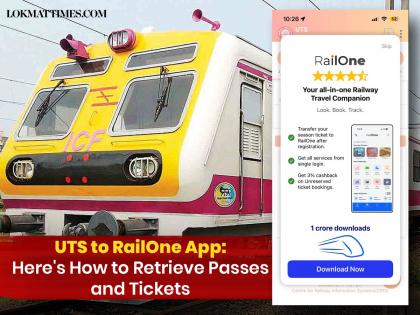
Now, when a user opens the UTS (Unreserved Ticketing System) application on a mobile phone, a pop-up appears on the phone screen asking to "Download Now" the RailOne app. This is because passes and season tickets will no longer be seen on the UTS mobile app.
The facility to book season and reserved tickets has been withdrawn by the Indian Railways. However, one can still book unreserved, platform tickets and see monthly local train passes, such as the Mumbai local train pass, which is valid on UTS in the "Show Ticket" section.
Also Read | Mumbai Local Update: Indian Railways Ends Pass Booking on UTS, RailOne App Takes Over.
Indian Railways has directed that season tickets and monthly season passes for local trains will now be purchased and renewed through their new application, "RailOne." Rail One is a unified railway app that integrates all railway service applications into a single platform.
From UTS to RailOne App
The RailOne application is available to download on both Android and iOS App Store, while a direct link will also pop up when one opens the UTS prompting to download the RailOne app to continue receiving services. The app offers multiple railway services on a single platform, including monthly pass booking, reserved and unreserved tickets, refunds, meal orders, train search, and PNR status checking.
How to Retrieve Monthly Pass and Tickets on the RailOne App
Download the RailOne application on your smartphone from the App Store or Play Store.
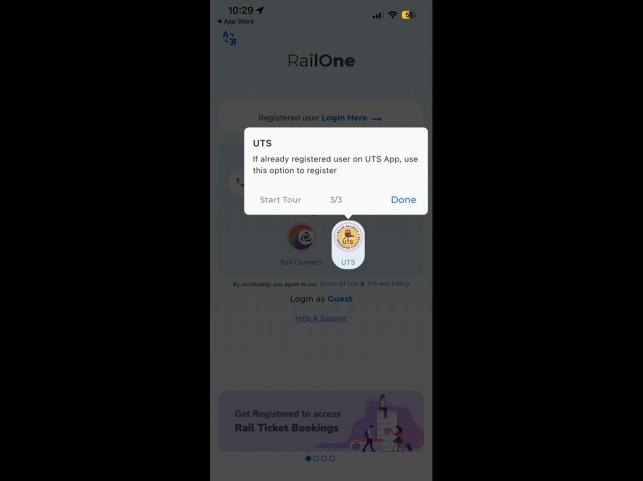
Open the app. The Login or Register option will appear on the home page.
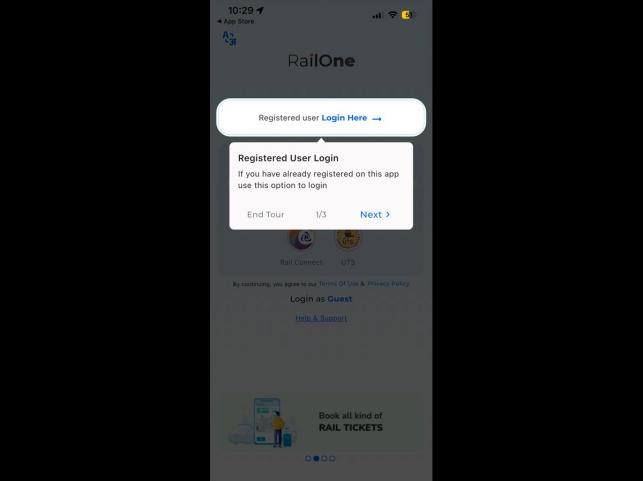
If you are already registered with the UTS or IRCTC apps, use the same username and password to log in to the app.
New users can register using their mobile number or email address.
If you forget your password, click on “Forgot Password”. Your username will be sent to your registered mobile number.
Using the username, you can set a new password through the OTP option.
After successful registration, users can view their season passes or tickets under the “My Bookings” tab on the Home page.
To book unreserved local train tickets outside or at the station, purchase monthly season passes, or renew an existing pass, click on the “Unreserved” option on the home page. Payments can be made via UPI, credit cards, debit cards, or net banking.
Open in app