5 Smart Ways to Use USB Type-C Port on Your Laptop
By Lokmat Times Desk | Updated: April 27, 2026 17:19 IST2026-04-27T17:18:48+5:302026-04-27T17:19:04+5:30



Nowadays, almost all new laptops entering the market come equipped with a Type-C port. Many users utilize this port ...
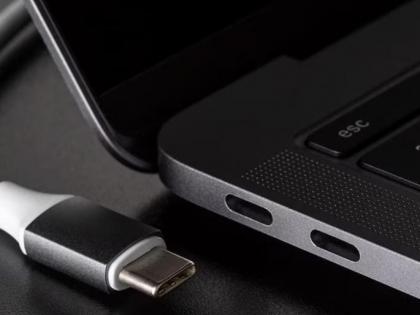
5 Smart Ways to Use USB Type-C Port on Your Laptop
Nowadays, almost all new laptops entering the market come equipped with a Type-C port. Many users utilize this port solely for charging their laptops. But did you know? This tiny port can grant your laptop "superpowers." From transferring data to connecting to a TV, this single port can handle a multitude of tasks in an instant. So, let's explore 5 hidden benefits of the Type-C port.
The biggest advantage of the Type-C port is its data transfer speed. If your laptop supports USB 3.1 or Thunderbolt, you can copy large files—spanning several gigabytes—high-definition movies, or heavy-duty software in just a few seconds. This port is a boon for video editors and for office-related work.
Turn Your Laptop into a 'Power Bank'
If your phone or earbuds run out of battery while you are traveling, don't worry. With the help of the Type-C port, you can use your laptop as a power bank. In some laptop models, you can even easily charge your smaller gadgets through this port, even when the laptop itself is turned off.
Connect Directly to a Large Screen
Now, there is no need for expensive adapters to connect your laptop to a monitor or a TV. By using the appropriate Type-C to HDMI or DisplayPort cable, you can connect your laptop directly to a large screen. Whether you are giving a presentation or simply want to watch a movie, the Type-C port makes this task incredibly simple.
One Port, Multiple Connections
If you need to connect a mouse, keyboard, pen drive, and internet cable to your laptop simultaneously, use a dedicated 'hub' designed for Type-C ports. By plugging this hub into a single port, you can transform your laptop experience to resemble that of a desktop computer. This prevents a tangle of wires on your table and keeps your workspace neat and tidy.
An All-in-One Solution for Audio and Video
Many new laptops no longer feature a headphone jack; instead, the Type-C port handles the transmission of audio signals. Through this single port, you can transmit high-quality audio and video signals. This means that everything—from listening to music to watching movies—is possible using just one port!
Open in app