How to Vote in Maharashtra Municipal Elections 2026 With Multiple EVMs? Know the Complete Process
By Lal Mohmmad Shaikh | Updated: January 12, 2026 12:01 IST2026-01-12T10:24:56+5:302026-01-12T12:01:00+5:30


Civic bodies in Maharashtra to go on polls on Thursday, January 15, including the Brihanmumbai Municipal Corporation (BMC), Pune ...
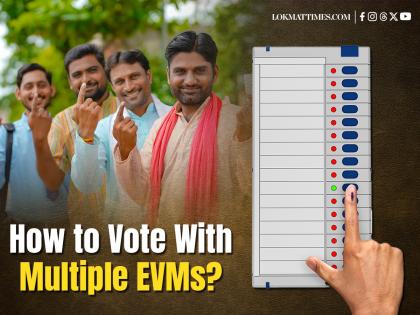
How to Vote in Maharashtra Municipal Elections 2026 With Multiple EVMs? Know the Complete Process
Civic bodies in Maharashtra to go on polls on Thursday, January 15, including the Brihanmumbai Municipal Corporation (BMC), Pune Municipal Corporation (PMC) and Nagpur Municipal Corporation (NMC). The results for this will be announced on the next day i.e on January 16 and will decide the fate of hundreds of municipal councillors.
The candidates and leaders of the political parties, including the BJP, Congress, and Shiv Sena, are going door-to-door to seek votes for their parties for the upcoming municipal elections.
Multiple EVMs at Polling Booths with Different Colours?
Voters during the Maharashtra municipal elections 2026 will witness something unusual this time. People will see multiple Electronic Voting Machines (EVMs) with different colours as the "one vote, one button" system will no longer apply to this election.
Voters need to press more than once in the civic body polls to complete their voting. The Election Commission of India (ECI) has introduced a multi-member ward system in 28 municipalities in Maharashtra. Under this new rule, a single ward will elect four corporators instead of one. As a result, every voter must press buttons four times separately to complete their voting process.
Also Read | Maharashtra Municipal Election 2026: How to Check Your Name in Voter List and Find Polling Booth Online.
Due to this new multi-model voting process, voters will see multiple EVMs in the polling booth. Depending on the ward, how many of candidates are contesting. Each EVM machine represents a different seat and is identified by a specific colour: white, light pink, light yellow, and light blue, so voters can distinguish them easily.
New 4-Member Ward Structure: How to Vote
Seat A: White
Seat B: Light Pink
Seat C: Light Yellow
Seat D: Light Blue
According to new rules, voters must press one button on every EVM. Choosing candidates from different political parties is allowed, as is voting for the same party. The NOTA option is also there on every EVM machine. However, missing one machine will mark your process is incomplete.
Here's How It Works
When voting on the first, second and third EVMs, only a red indicator light will turn on. No sound will be heard at this stage. The familiar beep with VVPAT will only sound after the final cast, confirming that all four votes have been successfully recorded.
Voting Process: Step-by-Step
Press the button against the candidate for each seat (A, B, C, D).
After pressing the button, a red light will glow for that seat.
After voting for Seat ‘D’, wait until the long buzzer sounds.
Desire Button on ALL EVMs Must Be Pressed for Complete Process
Eligible voters will find their name in the Electoral Roll. Voters can also check their name online on the official website about their polling booth, including contesting candidates, and other information.
Open in app